Step 2: データを観察する
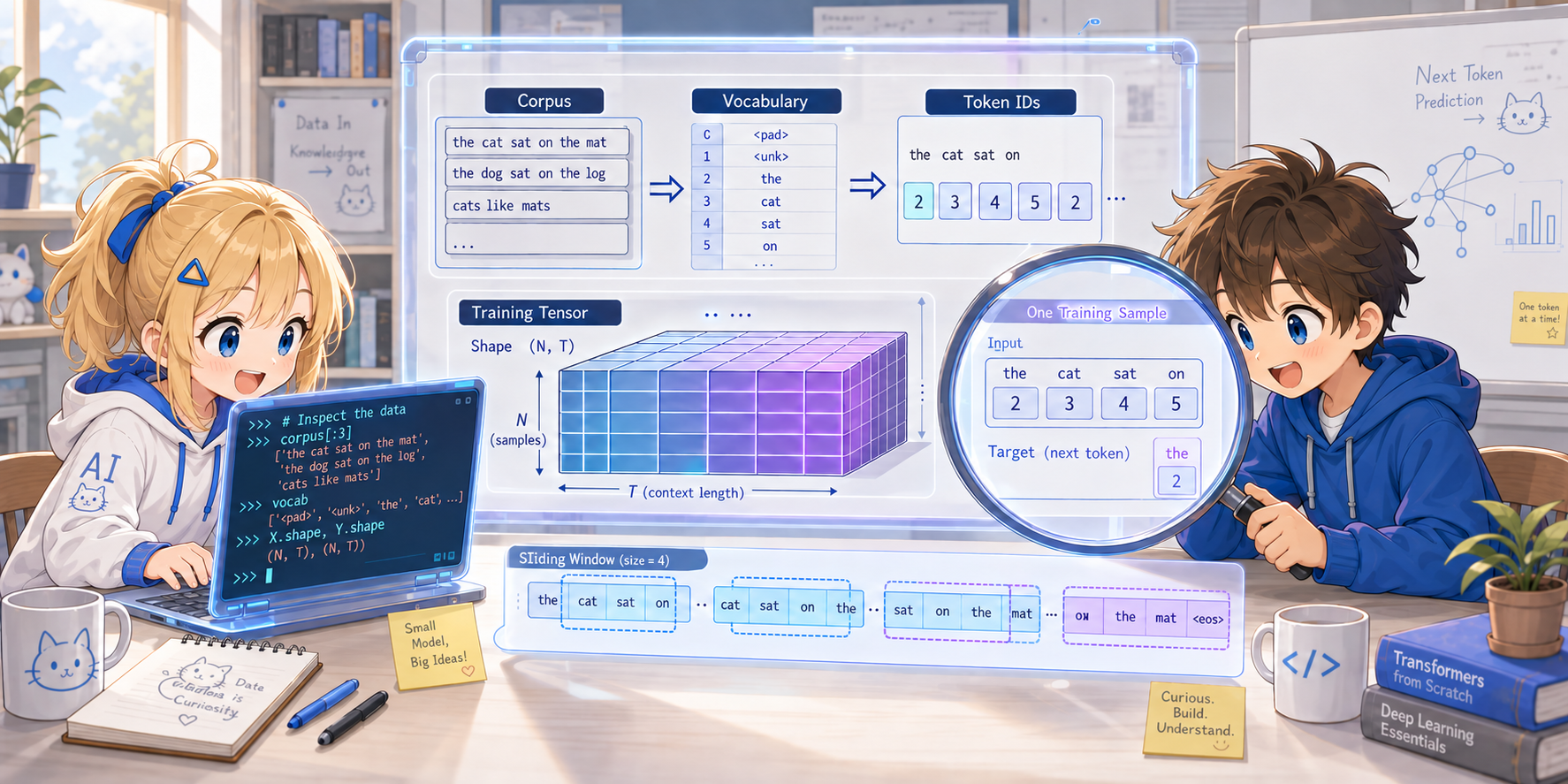
Transformer に渡されるデータの中身を、自分の目で確認しましょう。
Python の対話モード(または Jupyter Notebook)で以下を試してください。
2.1 対話モードの起動
uv run --with torch python -i tiny_llm.py
python -i でスクリプトを走らせたあと、そのまま対話モードに入ります。
model、vocab、id2word などの変数がそのまま使えます。
2.2 語彙を確認する
>>> vocab
{'<pad>': 0, 'the': 1, 'cat': 2, 'sat': 3, 'on': 4, 'mat': 5, '.': 6, 'dog': 7, 'log': 8, 'saw': 9}

>>> len(vocab)
10
たった10単語の語彙です。各単語に 0〜9 の番号が振られています。
2.3 トークン化を試す
>>> tokenize("the cat sat on the mat", vocab)
[1, 2, 3, 4, 1, 5]
文章が数値の列に変換されます。"the" はどこに出ても 1 です。
逆方向も確認してみましょう:
>>> [id2word[i] for i in [1, 2, 3, 4, 1, 5]]
['the', 'cat', 'sat', 'on', 'the', 'mat']
2.4 訓練データの形状を確認する
>>> inputs, targets = make_training_data(corpus, vocab)

>>> inputs.shape
torch.Size([28, 12])

>>> targets.shape
torch.Size([28, 12])
28サンプル(1バッチ)で、各サンプルは12トークンの長さです。
2.5 1つのサンプルを詳しく見る
>>> inputs[0]
tensor([1, 2, 3, 4, 1, 5, 6, 1, 7, 3, 4, 1])

>>> [id2word[i.item()] for i in inputs[0]]
['the', 'cat', 'sat', 'on', 'the', 'mat', '.', 'the', 'dog', 'sat', 'on', 'the']
これが Transformer への入力です。次に、対応する正解を見ます:
>>> targets[0]
tensor([2, 3, 4, 1, 5, 6, 1, 7, 3, 4, 1, 8])

>>> [id2word[i.item()] for i in targets[0]]
['cat', 'sat', 'on', 'the', 'mat', '.', 'the', 'dog', 'sat', 'on', 'the', 'log']
入力と正解を並べてみましょう:
入力: the  cat  sat  on  the  mat   .  the  dog  sat  on  the
正解: cat  sat  on   the mat   .   the dog  sat  on   the log
各位置で「次の単語」が正解になっていることがわかります。
2.6 スライドウィンドウを確認する
2番目のサンプルは、1単語ずれています:
>>> [id2word[i.item()] for i in inputs[1]]
['cat', 'sat', 'on', 'the', 'mat', '.', 'the', 'dog', 'sat', 'on', 'the', 'log']
サンプル0: the cat sat on the mat .  the dog sat on the
サンプル1:     cat sat on the mat .  the dog sat on the log
サンプル2:         sat on the mat .  the dog sat on the log .
ウィンドウが1単語ずつスライドして、28個のサンプルが作られています。
2.7 ここまでのポイント
- 語彙(vocab): 10単語に番号を振っただけ
- トークン化: 文章を数値の列に変換
- 訓練データ: 12トークンのウィンドウをスライドさせて、入力と正解(1つずらし)のペアを作成
- モデルの課題: 各位置で「次の単語」を予測すること
データは非常にシンプルです。次のステップでは、 このデータを処理する Transformer の中身を覗いてみます。