Step 2: Exploring the Data
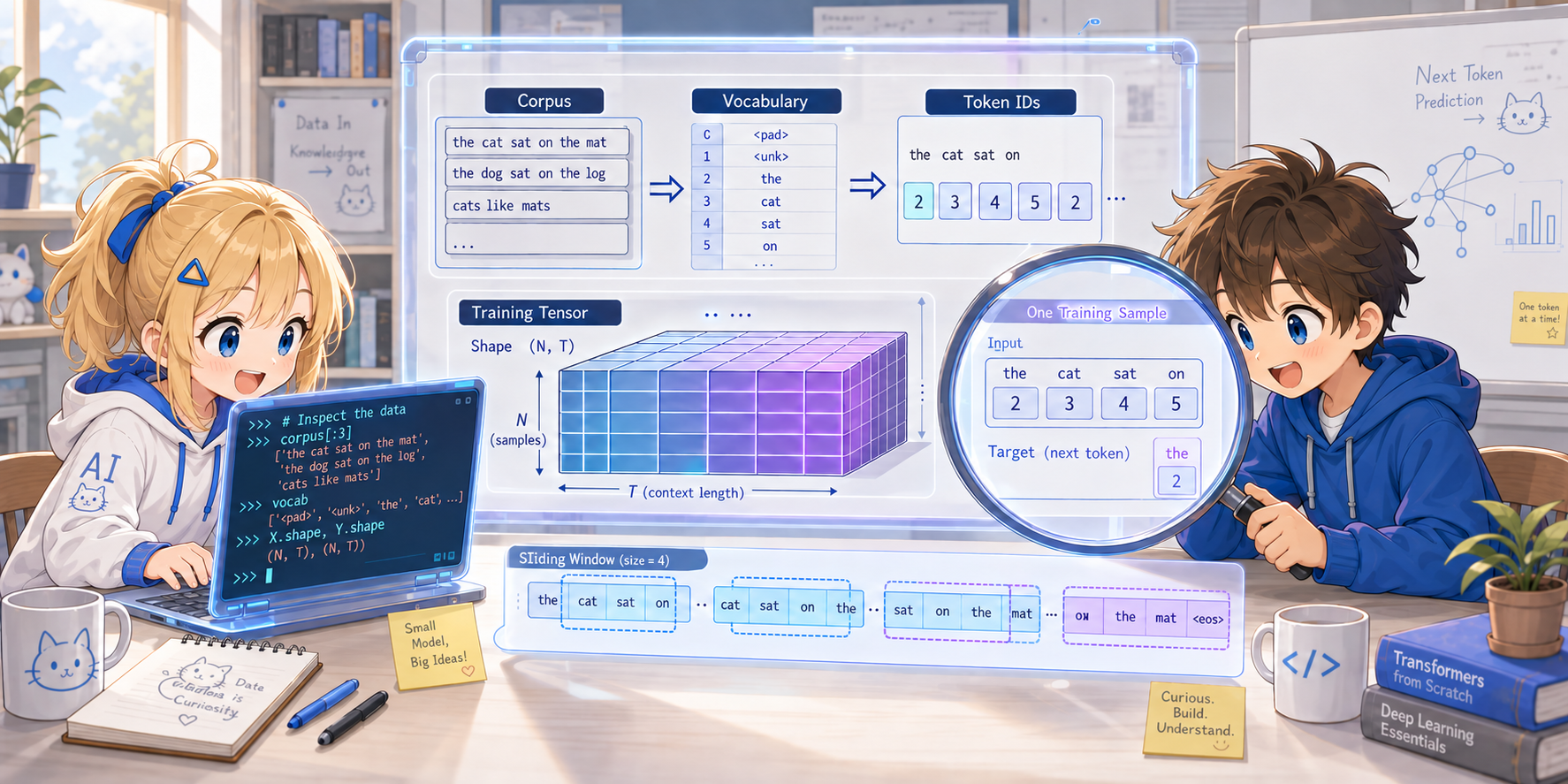
Let’s check the contents of the data handed to the Transformer with our own eyes.
Try the following in Python’s interactive mode (or a Jupyter Notebook).
2.1 Starting Interactive Mode
uv run --with torch python -i tiny_llm.py
With python -i, after running the script you drop straight into interactive mode.
Variables such as model, vocab, and id2word are available as-is.
2.2 Checking the Vocabulary
>>> vocab
{'<pad>': 0, 'the': 1, 'cat': 2, 'sat': 3, 'on': 4, 'mat': 5, '.': 6, 'dog': 7, 'log': 8, 'saw': 9}

>>> len(vocab)
10
It is a vocabulary of just 10 words. Each word is assigned a number from 0 to 9.
2.3 Trying Out Tokenization
>>> tokenize("the cat sat on the mat", vocab)
[1, 2, 3, 4, 1, 5]
The text is converted into a sequence of numbers. "the" is 1 wherever it appears.
Let’s check the reverse direction too:
>>> [id2word[i] for i in [1, 2, 3, 4, 1, 5]]
['the', 'cat', 'sat', 'on', 'the', 'mat']
2.4 Checking the Shape of the Training Data
>>> inputs, targets = make_training_data(corpus, vocab)

>>> inputs.shape
torch.Size([28, 12])

>>> targets.shape
torch.Size([28, 12])
28 samples (1 batch), and each sample is 12 tokens long.
2.5 Looking at One Sample in Detail
>>> inputs[0]
tensor([1, 2, 3, 4, 1, 5, 6, 1, 7, 3, 4, 1])

>>> [id2word[i.item()] for i in inputs[0]]
['the', 'cat', 'sat', 'on', 'the', 'mat', '.', 'the', 'dog', 'sat', 'on', 'the']
This is the input to the Transformer. Next, let’s look at the corresponding correct answer:
>>> targets[0]
tensor([2, 3, 4, 1, 5, 6, 1, 7, 3, 4, 1, 8])

>>> [id2word[i.item()] for i in targets[0]]
['cat', 'sat', 'on', 'the', 'mat', '.', 'the', 'dog', 'sat', 'on', 'the', 'log']
Let’s line up the input and the answer:
input:  the  cat  sat  on  the  mat   .  the  dog  sat  on  the
answer: cat  sat  on   the mat   .   the dog  sat  on   the log
You can see that at each position the “next word” is the correct answer.
2.6 Checking the Sliding Window
The second sample is shifted by one word:
>>> [id2word[i.item()] for i in inputs[1]]
['cat', 'sat', 'on', 'the', 'mat', '.', 'the', 'dog', 'sat', 'on', 'the', 'log']
sample 0: the cat sat on the mat .  the dog sat on the
sample 1:     cat sat on the mat .  the dog sat on the log
sample 2:         sat on the mat .  the dog sat on the log .
The window slides one word at a time, producing 28 samples.
2.7 Key Points So Far
- Vocabulary (vocab): nothing more than numbering 10 words
- Tokenization: converting text into a sequence of numbers
- Training data: sliding a 12-token window to create pairs of input and answer (shifted by one)
- The model’s task: to predict the “next word” at each position
The data is extremely simple. In the next step, we’ll peek inside the Transformer that processes this data.